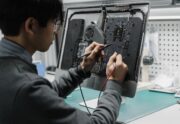
At Advanced Computers, we regularly see MacBooks and iMacs brought into our Rosedale and Penrose workshops because they feel slow, unresponsive, or cluttered. In many cases, the issue is not hardware failure but settings, storage management, or background processes that have built up over time. Before booking a repair, there are several macOS adjustments you […]
Author Archives: Ray Lee
Cloud Backup & Storage Guide for Auckland Homes & Businesses
Data loss is one of the most common — and preventable — technology disasters we see at Advanced Computers. Every week across our North Shore and Penrose workshops, we help Auckland customers recover lost photos, business files, and critical data from failed hard drives, damaged laptops, and stolen devices. In many cases, the problem could […]
Why Is My Laptop So Slow? 9 Practical Fixes That Actually Work
If your Windows laptop takes minutes to start, freezes when opening Chrome, or sounds like it is working overtime just to load email, you are not alone. We see this every day at our repair workshops in Auckland. You may also be experiencing one of the common computer problems we repair. The good news is […]
Why Aucklanders Think Laptop Repair Will Be Cheaper Than Replacement and Learn the Hard Way
At Advanced Computers, we’ve been repairing Apple devices and Windows computers in Auckland for years. Problems such as battery failure, overheating, and logic board issues are among the most common Mac problems we see in Auckland. However, one of the hardest conversations we have with customers in our Penrose and Rosedale workshops isn’t about fixing […]
What to Do When Files Won’t Open After a System Crash or Malware Cleanup
It’s common for customers to notice file problems after a system crash or malware removal. The computer may boot normally again, but images won’t open, attachments look broken, or recovered files behave oddly. In many cases, the issue isn’t permanent data loss. It’s a mix of damaged associations, partial corruption, or format mismatches caused by […]
How to Save Your Laptop or MacBook from Liquid Damage
Spilling water or coffee on your laptop or MacBook is more than a stressful moment; it is a high-stakes race against electrochemical physics. In Auckland’s unique climate—where the Relative Humidity (RH) frequently exceeds 82%—liquid damage behaves differently than in drier regions. The moisture in our air prevents simple evaporation, meaning a “dry” laptop is often […]
How Auckland Humidity Destroys Your Laptops and How to Fix It
Living in Auckland means navigating a climate where Relative Humidity (RH) averages 82% year-round. While residents of the North Shore and the CBD are used to the “sticky” summer air, most are unaware of how this moisture-laden atmosphere acts as a catalyst for hardware failure. In 2026, as laptops become more powerful and compact, the […]
DIY Computer Repair Risks (and When to Call a Professional in Auckland, NZ)
Not every computer issue is safe to fix on your own. DIY computer repair can be tempting, especially if you want to save time or money, yet it often carries hidden risks. Some problems are simple enough to handle at home, while others are best left to a trained technician. In this guide, we’ll outline […]
What’s the Cost to Replace a MacBook Screen in Auckland?
Apple MacBooks are known for their sleek design and powerful performance. But like any laptop, they are still vulnerable to damage. A drop, knock, or even long-term wear can leave you with a cracked display or screen problems that make your device frustrating to use. If you notice flickering, lines, dark spots, or a black […]
How Long Do MacBook Repairs Usually Take? Your Complete Auckland Guide
When your MacBook needs repair, your first thought may be to visit the nearest Apple Store. While Apple provides quality repairs, many locations require appointments, and turnaround times can vary significantly. At Advanced Computers, we’ve been repairing Apple devices since 1998, and our experienced technicians understand the urgency of getting your MacBook back to work. […]