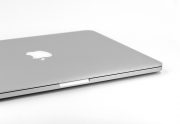
Is your Mac too ‘hot’ to touch? MacBooks sure are trendy, but one common issue users experience is overheating, which can be due to reasons such as device getting old, needing maintenance and too many files or apps operating. It can be irritating for users and can even cause unexpected shutdowns (not great if you […]

Category Archives: Computer Tips
MacBook Owner’s Survival Guide Against Liquid Damage
Spilling water or coffee on your MacBook can be stressful, especially when it is a work device or holds important files. We regularly assist Auckland customers who have experienced liquid damage at home, in offices, and in cafés across the North Shore and central Auckland. What you do in the first few minutes can significantly […]
Winter Computer Cleaning Tips to Prevent Overheating and Fan Damage
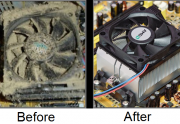
Winter in Auckland means closed windows, heaters running and less natural airflow through homes and offices. While it might not feel extreme, these seasonal changes can have a noticeable impact on your computer’s cooling system. At Advanced Computers, we see a clear increase in overheating issues, loud fans and airflow blockages during winter. In most […]
Keyboard Spills & Hygiene Guide to Saving Your Tech
A dirty or wet keyboard is one of the most common causes of computer failure we see in Auckland. From coffee spills in home offices to dust build-up in shared workspaces, keyboards take more abuse than almost any other part of a computer. Beyond hygiene concerns, liquid exposure and debris can shorten the lifespan of […]
4 Super Simple iOS Maintenance Tips for iPhone & iPad
Keeping your iPhone or iPad running smoothly doesn’t have to be complicated. Even the latest Apple devices can slow down over time if they aren’t properly maintained. At Advanced Computers, our Apple-certified technicians in Auckland see hundreds of devices every year with simple issues that could have been prevented with the right habits. Here are […]
Is Your Smartphone Secure? 8 Essential Tips for New Zealanders
Your smartphone is no longer just a phone. For most New Zealanders, it’s a wallet, ID, work device, and photo archive all in one. At Advanced Computers, we regularly see customers in Auckland who only realise their phone was compromised after money has gone missing or accounts are locked. Mobile scams and malware are increasing […]
The Benefits of a Truly Personalised Email Address for Auckland Families and Businesses
A personalised email address does far more than look professional. It improves trust, security, and control over your digital communications — something we regularly help Auckland families and businesses achieve at Advanced Computers. From small business owners using free email accounts to families sharing a single inbox, we often see email setups that create confusion, […]
Microsoft 365 vs Google Workspace: Which Productivity Suite is Right for Your Auckland Business?
Choosing the right productivity suite is a critical decision for Auckland businesses. Email, calendars, documents, and collaboration tools are used every day — and the wrong setup can quietly slow teams down, create security gaps, or make future growth harder. At Advanced Computers, we support Auckland businesses across a wide range of industries, from small […]
How to Keep Your DSLR Clean and Performing at Its Best
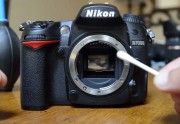
DSLR and mirrorless cameras are a serious investment, whether you’re a photography enthusiast or rely on your gear for professional work. In Auckland’s environment — with coastal air, humidity, and fine dust — cameras can accumulate grime faster than many owners expect. At Advanced Computers, we regularly service cameras affected by dust on sensors, sticky […]
Tips to Get More Out of Microsoft Outlook
Microsoft Outlook remains one of the most widely used email and calendar tools in New Zealand offices. Yet many users only scratch the surface of what it can do. When Outlook is set up properly, it can save time, reduce inbox overload, and make day-to-day communication easier for teams and small businesses. Below are practical […]