


If your MacBook Pro keyboard has stopped responding properly, you’re not alone. Keyboard faults are among the more common issues Mac users experience, ranging from keys that stop registering to repeated characters appearing from a single keystroke. Problems like these can quickly interrupt work, study, or everyday tasks that rely on accurate typing.
Some keyboard issues are caused by software settings or debris beneath the keys, while others result from liquid damage, worn components, or internal hardware faults. Identifying the cause early helps prevent further damage and ensures the right repair approach is taken. Whether only one key has stopped working or the entire keyboard has become unreliable, understanding the symptoms is the first step towards restoring your MacBook Pro.
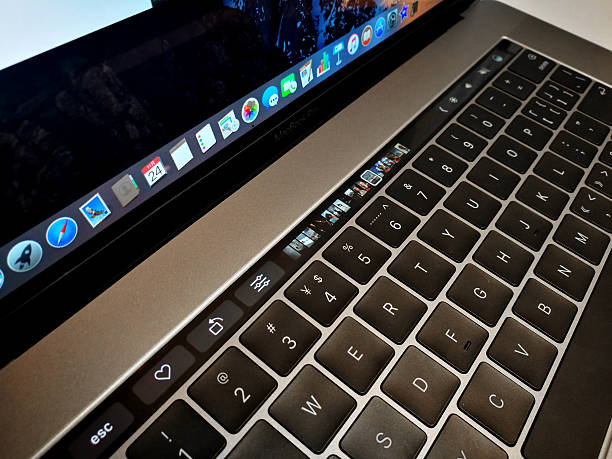
Common MacBook Pro Keyboard Malfunctions
Keyboard faults on a MacBook Pro can show up in different ways. Understanding what you’re experiencing helps determine whether the issue is something you can manage yourself or whether it’s time to seek professional repair.
Unresponsive or Sticky Keys
Keys that don’t register consistently or feel stiff when pressed are often caused by debris lodged beneath the key mechanism. Dust, crumbs, and fine particles can interfere with how the keys make contact. In some cases, careful external cleaning can help, but persistent sticking or missed keystrokes may indicate internal contamination or wear that requires proper disassembly and cleaning.
Double Letter Typing Issues
If a key types twice when pressed once, the keyboard may be misreading input. This can be linked to physical wear, contamination beneath the key, or system-level sensitivity issues. Checking keyboard settings and ensuring macOS is up to date is a good first step. When the issue continues across multiple keys, professional inspection is usually the safest option.
Keys Making Unusual Sounds
Keys that click loudly, feel spongy, or make unexpected noises can signal damage inside the keyboard assembly. This may be caused by trapped debris, moisture exposure, or misaligned components. While the keyboard may still function, these symptoms often worsen over time if left unaddressed.
Complete Keyboard Failure Signs
Sometimes the keyboard stops responding altogether. This may be caused by liquid damage, a failed keyboard cable, a damaged keyboard assembly, or, in less common cases, a logic board fault. An external USB or Bluetooth keyboard may continue to work, but the built-in keyboard usually requires professional diagnosis to identify the underlying cause.
Understanding What Causes Keyboard Problems
Although the symptoms vary, most keyboard faults are linked to a relatively small number of underlying causes.
Dust and Debris Accumulation
Over time, fine dust and debris can work their way under keys and into the keyboard assembly. Even small particles can disrupt key travel and signal registration. Regular maintenance helps reduce the risk, but once debris is embedded internally, professional cleaning is often required.
Liquid Damage Effects
Spilled drinks are a frequent cause of keyboard failure. Even minor spills can affect internal circuits and cause corrosion if not addressed quickly. Sticky keys, random inputs, or sudden failure after a spill are strong indicators of liquid damage. In these cases, continued use can increase the risk of permanent damage.
Internal Connection Wear
The keyboard connects to the MacBook Pro through delicate internal cables. Over time, movement, heat, or prior repairs can weaken these connections. Loose or damaged cables can cause intermittent keyboard behaviour that becomes more frequent as the issue progresses.
Software-Related Problems
Not all keyboard problems are physical. Outdated operating systems, corrupted preferences, or accessibility settings can affect how the keyboard responds. Ruling out software-related causes is an important step before committing to hardware repairs.
How Keyboard Problems Are Diagnosed
A proper diagnosis helps identify the exact cause of the problem before any repair work begins.
Technicians typically begin by testing whether the issue is related to macOS or the keyboard hardware itself. If software is ruled out, the MacBook is inspected for signs of contamination, liquid exposure, damaged connectors, or faults within the keyboard assembly. This systematic approach ensures only the components that actually require repair or replacement are addressed.
Repair Options for MacBook Pro Keyboards
The appropriate repair depends on what is causing the fault.
Professional Keyboard Cleaning
When debris is preventing keys from operating correctly, internal cleaning can often restore normal function without replacing major components.
Keyboard Component Replacement
If keys, switches, or the keyboard assembly have been damaged through wear or liquid exposure, replacing the affected components may be the most reliable solution. Using quality replacement parts helps restore normal typing performance.
Software Troubleshooting
Where software is responsible, technicians can resolve configuration problems, update macOS, or repair corrupted system settings while preserving your existing data.
When Should You Have Your MacBook Pro Checked?
You should consider having your MacBook inspected if:
- Multiple keys stop responding.
- The keyboard produces repeated letters while typing.
- Keys remain stuck after cleaning.
- The keyboard stops working following liquid exposure.
- Typing problems become progressively worse.
- The built-in keyboard no longer works but an external keyboard does.
Delaying diagnosis can allow minor issues, particularly those involving moisture or corrosion, to develop into more expensive repairs.