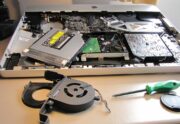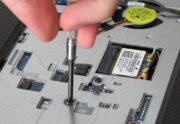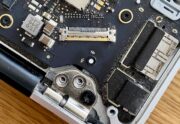
Look, I’ve been a Mac user since 2007, and I’ve learned some hard lessons about maintenance the painful way. That shiny new Mac feeling doesn’t have to fade after six months – trust me on this one. Indeed, Apple computers have a reputation for reliability, but even the most well-built Mac isn’t immune to wear […]
Author Archives: Ray Lee
Why Is My Laptop Overheating? Common Causes and Fixes
Why Is My Laptop Overheating? Common Causes and Fixes Is your laptop hot enough to fry an egg on? We’ve all been there. You’re trying to get work done, maybe catching up on emails from your flat in Mt Eden or finishing an assignment at Auckland Uni, when suddenly your laptop starts sounding like a […]
MacBook Screen Replacement: What to Expect and How Long It Takes
A cracked or malfunctioning laptop screen can be a frustrating experience, especially when it’s your indispensable MacBook. Your beautiful Retina display, once a source of productivity and entertainment, is now a reminder of an unexpected drop or a sudden impact. But fear not, a damaged display doesn’t necessarily mean the end of your device. Screen […]
MacBook Not Turning On? 5 Common Reasons and Fixes (Auckland Guide)
When Your MacBook Won’t Start There’s that sinking feeling when you press your MacBook’s power button and nothing happens. As an individually Apple-certified technician myself and I’ve helped hundreds of Auckland MacBook owners through this exact problem, I understand the panic you might feel now. Whether you need your MacBook for work, uni assignments, or […]
Laptop Maintenance Guide: Keep Your Device Running Smoothly
In today’s fast-paced world, laptops are essential for work, learning, and entertainment. Regular maintenance can extend your laptop’s lifespan, improve performance, and help prevent costly repairs. Here is a step-by-step guide on how to care for your laptop. 1. Keep Your Laptop Clean Dust and dirt can clog vents, slow down your laptop’s performance, and […]
Comprehensive Guide to Troubleshooting Common Laptop Issues: Solve Problems Like a Pro
Is your laptop giving you trouble? From frustrating freezes to mysterious noises, laptop issues can disrupt your work and daily life. Let’s walk through the most common laptop problems and their solutions, helping you get back to work quickly and potentially save money on unnecessary repairs. Startup and Performance Problems When your laptop won’t start […]
Removing Windows from Mac: The Ultimate Technical Guide to System Liberation
Many Mac users install Windows using Boot Camp Assistant to run Windows-only applications or software. Over time, however, you may decide that maintaining two operating systems is no longer necessary. Removing Windows can free up significant disk space, simplify updates, and reduce system complexity. This guide explains how to safely remove Windows from your Mac, […]
Resolving macOS Sequoia Download Issues: A Comprehensive Guide
Are you struggling with a stuck macOS Sequoia download? Don’t worry, you’re not alone. Many Mac users have faced similar challenges when trying to upgrade to the latest version of Apple’s operating system. In this comprehensive guide, we’ll walk you through the common issues, troubleshooting steps, and when to seek professional assistance to rescue your […]
Is Your macOS Sonoma Acting Up? Here Are Quick Solutions!
If you’re a Mac user in Auckland, you’re likely familiar with the powerful macOS Sonoma operating system. However, even the best software can experience hiccups from time to time. In this post, we’ll explore some quick and easy solutions to get your macOS Sonoma back on track, so you can get back to productivity and […]
Wi-Fi Not Working on macOS Sequoia? Here’s How to Fix It
If your Mac won’t connect to Wi-Fi after installing macOS Sequoia, you’re not alone. Major macOS updates sometimes introduce temporary problems, such as network issues, including slow speeds, dropped connections, or Wi-Fi not turning on at all. In most cases, the problem is software-related and can be fixed without replacing any hardware. Below is a […]